Remove Touch Overlay
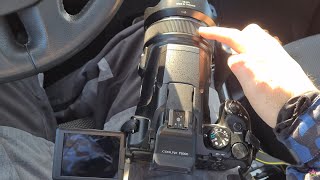
Nikon P1000 | Control video brightness using lens Ring
Duration: 01:51Views: 297Likes: 5Date Created: Feb, 2022
Channel: furulevi
Category: Science & Technology
Tags: how toimagefurulevidarkermovienikon p1000brightertutorialvideocamera
Description: - Rotate dial to Movie Manual mode (Camera icon with M) - Menu button - Wrench icon - Second page - Control ring options - Select "Exposure compensation" - Press Record button - Rotate the ring around the lens to make the image brighter/darker
Swipe Gestures On Overlay








Items shown
to: 10
of:999